

Unlocking the Power User: Drive HR Adoption Through Strategic Training and Reporting
Technology continues to evolve, yet adoption remains the factor that determines whether any implementation delivers real value. Providing access to an HR platform is only the starting point. Helping teams build confidence and use that platform consistently is where lasting impact begins.
At IAM Phenom 2026, Daniel Walters, Director of Knowledge Management at Phenom, and Amanda Rauscher, Instructional Designer on the Knowledge Management team, shared practical ways organizations can strengthen adoption of HR platform usage. Their session focused on the Power User role in Phenom Explorer, what it enables, who should hold it, and how reporting and targeted training can translate learning into measurable outcomes.
In this Article:
Why More Training Is Not the Answer to HR Platform Adoption?
When system adoption slows, organizations often respond by expanding training programs through additional courses and workshops. While well-intentioned, increasing the volume of learning materials does not automatically build capability. During the session, Walters highlighted an important point: assigning a large number of courses does not create mastery; it overwhelms learners. The real driver of HR system adoption is precision by connecting the right content to the right person at the right moment.
This distinction matters, especially in recruiting environments where daily responsibilities continue alongside onboarding. New team members are already absorbing policies, processes, and systems. Introducing an unstructured library of training content on top of that can dilute focus rather than strengthen it. What works more reliably is a clear starting point that outlines exactly what someone needs to learn for their role and provides a path to build skills over time.
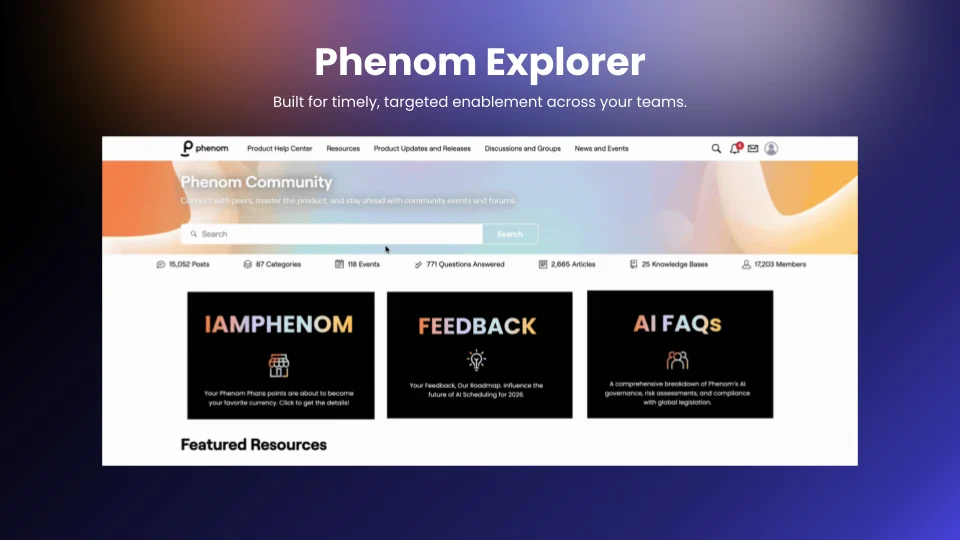
Phenom Explorer supports that level of clarity. The Power User role helps place those tools in the hands of people who can guide learning with intention.
What a Power HR User Actually Does?
Within Phenom Explorer, there are two primary levels of access: the learner and the power user. The learner logs in, completes assigned content, and builds familiarity with the platform. The power user, as Rauscher described, guides adoption by aligning training with organizational goals and monitoring progress along the way. Power User access includes three connected capabilities, each supporting the next:
Curating means assigning specific courses, learning plans, and certification tracks directly to learners so they see exactly what they need to focus on when they log in, without having to search for it themselves.
Tracking means having access to reporting on completions and Explorer usage, so a power user can see at a glance who is engaging with content and who has fallen behind. Step-by-step guides in the Help Center walk through how to set up custom reports for this purpose.
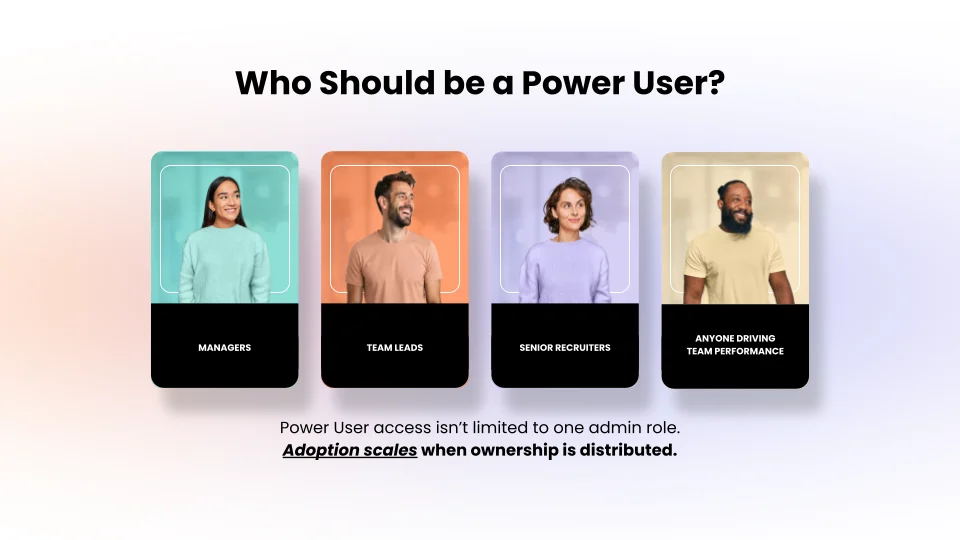
Empowering means extending Power User permissions to other managers or team leads so the work of driving adoption does not sit with one person. Adoption scales when ownership is distributed across the team rather than concentrated with a single admin.
Who Should Hold Power User Access?
A common misconception is that Power User access belongs exclusively to the system admin or someone in IT. Rauscher's recommendation during the session was the opposite: the best results come when permission is given to managers, team leads, or senior recruiters, the people who are close enough to the work to see where knowledge gaps exist and course correct in real time.
It is also worth considering Power User access as a growth opportunity. Giving a high-performing recruiter or sourcer ownership of a training initiative is a meaningful stretch assignment that builds leadership capability alongside platform expertise. The person does not need to be technically inclined. They need to understand the team's goals and be organized enough to follow through.
Pro Tip: To get Power User access set up, reach out to your project implementation manager, customer value manager, or contact training@phenom.com directly.
How to Put Power Usage Into Practice?
The clearest way to understand how the Power User role works is through a practical example. Consider a team of recruiters who are sending individual emails to candidates one by one inside the Phenom CRM. The business goal is straightforward: increase efficiency in candidate communication. The barrier is finding time to train the team on bulk emailing and email campaign functionality without pulling them away from their work. Here is how a power user solves this without pausing operations:
Step 1: Identify the content: Search Phenom Explorer for the email campaigns course. Explorer is accessible directly through the Phenom portal, through the community, or via a bookmarked link as long as the user is logged in.
Step 2: Enroll the team: Assign the course to the relevant learners in a few clicks. Once enrolled, the content appears directly on their Explorer dashboard, so there is no hunting involved.
Step 3: Set a due date: A firm completion deadline creates accountability without requiring constant follow-up.
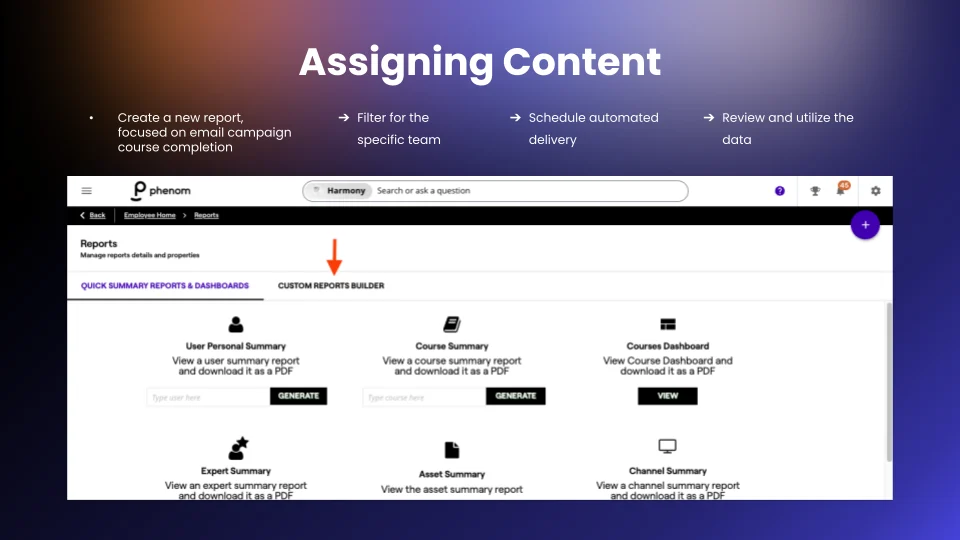
Step 4: Automate reporting: From the gear icon in the top right corner of Explorer, navigate to Reports and use the Custom Reports tab to create a report tracking course completions. Set it to deliver to your inbox on a weekly or monthly schedule, depending on how closely you want to monitor progress.
The training gap is addressed, the team knows what to do, and the power user has visibility into whether it is working, all without stopping the day-to-day work.
Reading Your Reporting Data
Once automated reports start arriving, the data tells one of three stories, each pointing to a different response:
Low completion, low platform usage: Training has not yet connected with daily work. The barrier may involve competing priorities, limited confidence, or unclear expectations. A brief conversation can help identify the obstacle and clarify next steps.
High completion, low platform usage: This pattern appears frequently. Employees complete the training but hesitate to apply what they learned. In many cases, the gap relates to confidence rather than knowledge. Short coaching sessions or guided practice can help translate learning into action.
High completion, high platform usage: This outcome reflects successful alignment between training and performance. The appropriate response is to recognize progress and build on the momentum.
Viewed this way, reporting data becomes more than a measurement tool. It becomes a guide for meaningful conversations and targeted support.
How Explorer Fits Into the Broader Learning Ecosystem?
Phenom Explorer is the foundation of core platform learning, but it sits within a wider set of resources that work best when used together.
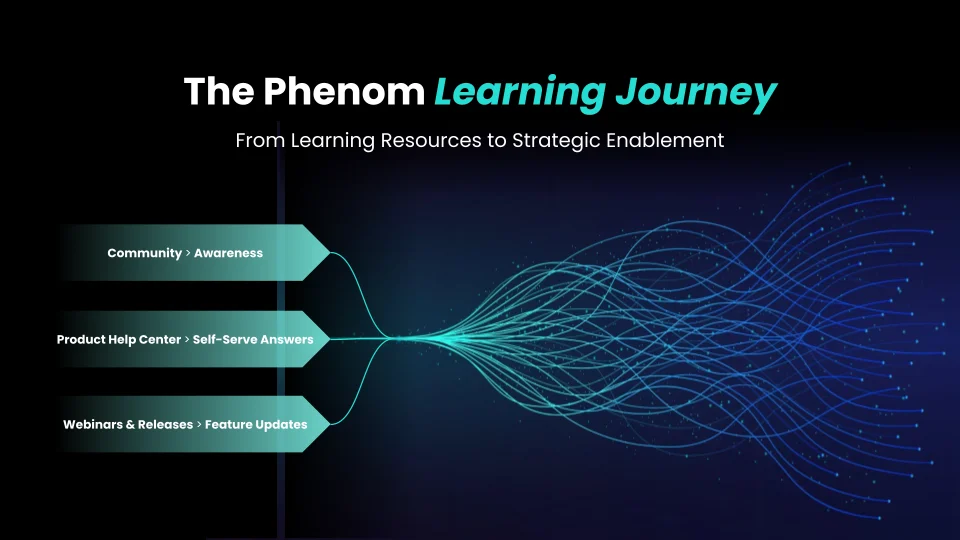
The Product Help Center is where to go when someone is in the middle of a task and needs a specific answer fast, step-by-step guidance on a configuration, or clarification on how a feature works. The Phenom Community is where practitioners connect with peers across organizations, search existing threads, and get answers from other users who have already worked through the same challenges. Release roundups, which run monthly alongside each of Phenom's eleven annual releases, bring in product managers for live demos and Q&A, making them one of the most useful ways for teams to stay current on what is new and how to enable it. Walters summarized the intent behind the full ecosystem “The goal is just-in-time learning, getting the right answer at the exact moment it is needed so the person can apply it immediately and move on”.
Four Steps to Get Started
Wherever a team currently sits on the adoption curve, the path forward follows the same sequence:
Check the current state: Find out who, if anyone, currently has Power User access in the organization. If no one does, that is the first gap to close.
Identify a champion: Pick one person who is close to the team's daily work and strategic enough to connect training to business outcomes. It does not need to be a technical role.
Align content to one goal: Start with a single, specific business objective. Find the matching content in Phenom Explorer, assign it to the relevant team members, and set a completion date.
Automate the reporting: Create one custom report tracking completion against that goal and schedule it for regular delivery. That report becomes the performance dashboard for the initiative, and the habit of checking it is what sustains adoption over time.
The aim is not to boil the ocean. It is to connect one business problem to one piece of content, prove the model works, and build from there.
Ready to set up Power User access for your team? Reach out to your Phenom account manager or CVM partner to get started today!

Devi is a content marketing writer passionate about crafting content that informs and engages. Outside of work, you'll find her watching films or listening to NFAK.


Get the latest applied AI insights delivered to your inbox.
Sign up to stay up-to-date on the latest original content from Phenom, including new podcast episodes, events, and more.


