

The Practitioner's Guide to Phenom Self-Service: From Knowledge Base to Community Momentum
Every Phenom user reaches a point where the platform can do more than they currently know how to ask of it. A feature exists that would save hours of manual work, a workflow could be configured differently, or a new release introduces a capability that no one on the team has explored yet. What happens in that moment determines whether the opportunity gets acted on or gets shelved, whether someone figures it out in five minutes or spends the afternoon searching, and whether that knowledge stays with one person or spreads across the team.
At IAM Phenom 2026, Anna Murafa, Knowledge Manager at Phenom, and Samantha Moeder, Executive Director, RGI & CLA at Phenom, shared their roadmap for getting the most out of Phenom's self-service ecosystem. This blog captures their guidance, covering how Phenom Explorer, the Help Center, and the Community each serve a distinct purpose, how the three work together to move practitioners from confusion to capability, and what it looks like in practice to engage with all of them consistently.
What’s the ROI of Getting Stuck?
The cost of not knowing where to find an answer is rarely calculated, but it adds up. Every minute spent hunting in the wrong place is a minute not spent improving the candidate experience, refining the hiring workflow, or doing the work that actually matters to the role. Moeder shared, "Every single minute that you spend hunting for an answer is a minute that you are not spending on the work that actually matters."
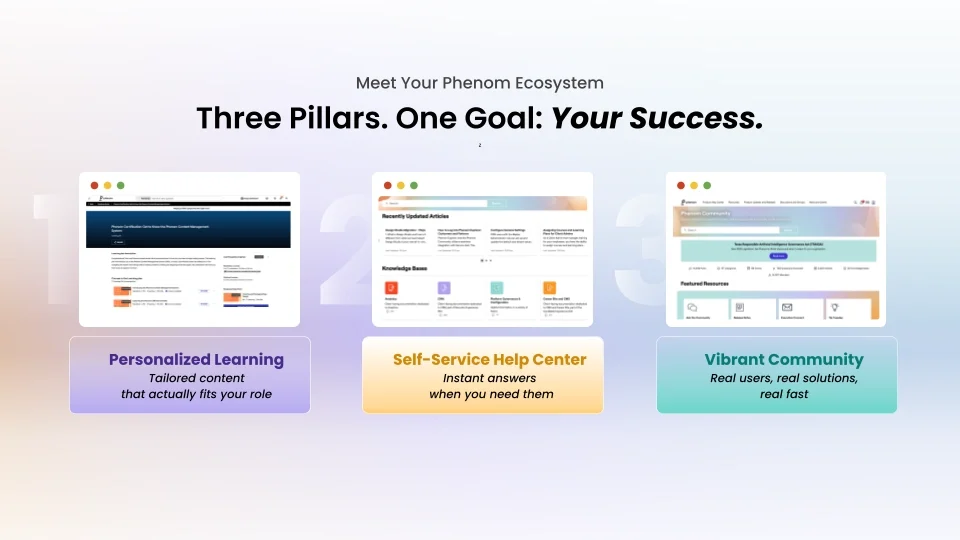
The three resources that make up the Phenom self-service ecosystem, Phenom Explorer, the Help Center, and the Community, exist to close that gap. The three resources that make up the Phenom self-service ecosystem, Phenom Explorer, the Help Center, and the Community, exist specifically to close that gap. While each is a powerhouse on its own, together they form a trifecta of easy answers to every challenge a practitioner will face, regardless of their expertise.
Personalized Learning With Phenom Explorer
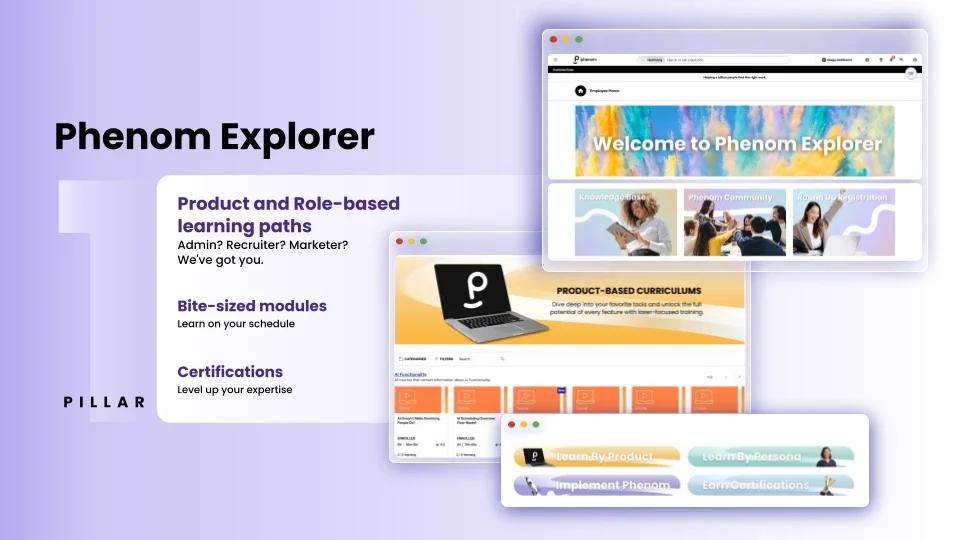
Phenom Explorer is the personalized learning hub, and the place most users should start when they are new to the platform or learning a feature they have not used before. The key distinction from generic training is that content is organized by persona and by product, so a recruiter does not have to wade through admin-level documentation to find what applies to their day-to-day work.
Phenom Explorer learning plans provide a clear starting point for each role, covering foundational knowledge before moving into more nuanced configuration or workflow tasks. Modules are deliberately bite-sized, designed to be picked up between tasks rather than requiring a dedicated large swath of time. When a user is ready to go further, certifications provide a structured path from basic familiarity to platform expertise, with something tangible to show for it.
New essential learning plans are being added to the platform each month, with content validated by subject matter experts and aligned to how different teams actually use the platform. The practical implication for admins is straightforward: when onboarding a new team member, point them to their persona-specific learning plan in Explorer before anything else. It gives them a coherent starting point rather than asking them to figure out where to begin on their own.
Fast Answers From the Help Center
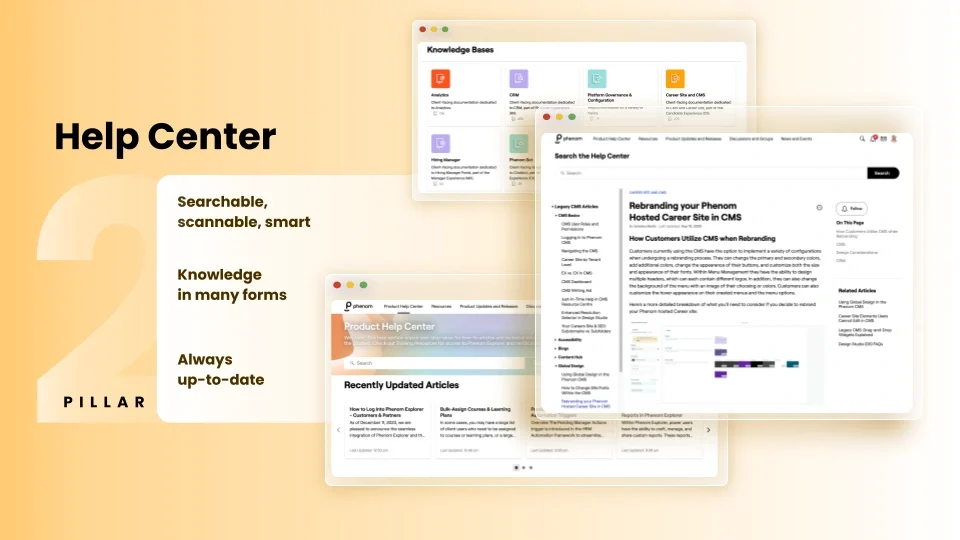
Where Explorer is about building knowledge over time, the Help Center is built for speed. It is where practitioners go when they need a specific answer right now, not a full course. The federated search spans all of Phenom's knowledge bases simultaneously, which means searching from one place surfaces relevant articles, FAQs, technical documentation, and how-to guides across the entire content library without having to know which knowledge base to look in first. For users dealing with a CRM configuration question, an analytics question, or a platform governance topic, filtering down to the relevant knowledge base narrows results quickly once the initial search returns too broad a set.
Content is kept current through regular audits, collaboration with product and support teams, and updates that coincide with each release cycle. Release notes are published in the Help Center ahead of production rollouts, typically around three weeks before new features go live, which gives admins time to familiarize themselves before their teams start asking questions. Murafa recommends, “review upcoming changes, pull together a brief internal summary for the team, and, if possible, spend time in the preview environment before the release hits production”. An AI-powered search assistant is also in development, which will make the Help Center experience faster and more conversational later this year.
Building and Sharing Knowledge Through Community
The Help Center answers documented questions. The Community may answer the ones that haven't made it into documentation yet, and the ones where knowing what actually works in practice matters more than knowing what the technical steps are. With more than two dozen forums spanning general questions, CRM configurations, hiring automation workflows, HRIS topics, and everything in between, the Community functions as a living knowledge base built by fellow practitioners who have faced the same problems. When a user searches within the Community, results pull from both forum threads and existing articles simultaneously, so the answer surfaces regardless of where it lives.
What makes the Community meaningfully different from a documentation library is the source of the knowledge. As Moeder noted, "You're not just hearing from us at Phenom. You're hearing from other customers who've already tackled the challenge that you're facing. They've been in those same trenches as you. They know what works and what doesn't." Beyond peer-to-peer problem solving, the Community is also where the product team and subject matter experts are directly reachable. Product feedback posted there is reviewed and fed into roadmap decisions, which means practitioners who engage consistently have a real line of input into where the platform goes next.
For admins managing a team of Phenom users, the Community is one of the most effective ways to reduce the volume of internal support questions. When recruiters and sourcers know how to find answers themselves through community search and discussion threads, fewer questions land on the admin's plate.
How the Three Pillars Work Together
Each resource covers a different mode of learning, but the real value comes from knowing which one to reach for and when.
Community first: When you hit an unfamiliar problem, search the Community for existing threads and peer-tested workarounds. This is often the fastest path to a working solution.
Help Center next: Once you have a direction, use the Help Center for step-by-step technical documentation. If a community thread points to a specific feature or workflow, the relevant article will walk through the implementation correctly.
Phenom Explorer to go deeper: When you want to understand the reasoning behind a configuration or build reusable knowledge around a feature, find the relevant learning module in Phenom Explorer. This is what turns a one-time fix into a capability that can be taught to others.
The progression moves from problem to solution to expertise, and each resource reinforces the next.
What Engagement With the Ecosystem Actually Produces
The outcomes from organizations that use all three resources consistently are measurable.
51% increase in Help Center traffic, with practitioners actively finding answers, guides, and demos on their own.
23% reduction in support tickets, as more questions get resolved through self-service before requiring escalation.
2.9x growth in Community engagement year over year, with members posting questions, answering threads, sharing workflows, and connecting with peers across organizations.
24% higher confidence in platform performance among customers who engage with the Community regularly, because they understand the platform well enough to trust it.
17,000+ active Community members networking, learning, sharing feedback, and contributing knowledge across the Phenom ecosystem.
Each number reflects what happens when practitioners stop searching in the wrong places and start building the habit of reaching for the right ones.
Phenom Phans: Getting Recognized for What You Are Already Doing
For practitioners who are already attending webinars, reading release notes, participating in community discussions, and contributing to product feedback, Phenom Phans is the program that recognizes that engagement and converts it into points, rewards, and access.
Points accumulate through activities most engaged users are already doing: joining the monthly Roundup webinar earns 50 points per session, with 11 releases across the year creating consistent opportunities. Community posts, feedback submissions, event attendance, and profile activity all contribute. Points can be redeemed for exclusive merchandise, available only through the Phenom Phans store.
Beyond the rewards, Phenom Phans is also where users can directly influence the product roadmap by voting on upcoming features and submitting ideas. The feedback loop between customers and the product team runs through this program, which makes participation meaningful beyond the points themselves.
Where to Start if You Are Not Using All Three Yet
The simplest way to get immediate value from the ecosystem is to identify which resource your team is currently underusing and close the gap. If your team is filing support tickets for questions that peer knowledge could answer, get them into the Community and show them how to search across threads and articles together. If onboarding new users takes too long because there is no structured starting point, set them up with a persona-based learning plan in Phenom Explorer on day one. If your team is regularly caught off guard by new feature releases, subscribe to release notes in the Help Center and build a habit of reviewing the preview ahead of each cycle.
None of these requires a significant time investment. They require knowing the resources exist, understanding which one to reach for, and building the habit of reaching for them before defaulting to a support ticket or an internal escalation. The goal Murafa and Moeder kept returning to throughout the session is a simple one: getting every Phenom user from "wait, how do I do this?" to "I've got this!" The ecosystem is already built. The path between those two points is to start using it.
Ready to get more out of Phenom? Connect with your account manager to find out where your team's self-service gaps are and how to close them.

Devi is a content marketing writer passionate about crafting content that informs and engages. Outside of work, you'll find her watching films or listening to NFAK.


Get the latest talent experience insights delivered to your inbox.
Sign up to the Phenom email list for weekly updates!


