

How To Rebrand Your Career Site Without Developers (Using Phenom Design Studio)
A career site is no longer a simple list of open roles — it’s a core expression of your Employer Value Proposition (EVP). It reflects your mission, culture, and the impact future employees can be part of. When this experience feels outdated, slow, or generic, the consequences are real: higher drop-off rates, lower-quality applicants, and wasted spend.
Talent marketing teams want to deliver an amazing candidate experience but run into familiar blockers: dependence on outside agencies, long turnaround times for updates, limited self-service, and inflexible tools.
Phenom Design Studio, a sophisticated, self-service content management system, eliminates those challenges. Paired with an Applied AI Phenom Career Site, it gives talent marketing teams the agility to execute modern rebrands that drive engagement and lift conversion, without relying on developers or lengthy vendor cycles.
Let’s walk through how to plan a strategic careers page redesign or rebrand built to elevate every moment of the candidate experience, from first click to final application.
Related: Getting Your Employee Value Proposition Right
When should I rebrand my career site?
Organizations rebrand for many reasons — and it’s not limited to mergers or acquisitions. Your employer brand should evolve with your business, audience, and market. A refresh every three years helps maintain a competitive edge in a job landscape that shifts quickly.
Common triggers include:
The need to unify or clarify your brand message
Slow page load times or outdated design elements
Poor SEO performance
Lack of support for modern capabilities like AI-driven features or chatbots
Shifting talent demographics that require new messaging and visuals
Data should guide the decision. Assess key performance indicators like time on page, drop-off points in the application funnel, SEO health, and traffic quality.
Your brand identity is a living asset, and continuously refining how you present yourself helps you stay relevant and compelling to the talent you’re trying to attract.
How does Phenom Design Studio enable a self-service careers page redesign?
Traditional careers page redesigns and rebrands require heavy agency involvement, custom code, long timelines, and a lot of budget. Even small visual changes can take weeks.
Phenom Design Studio completely changes that. It gives your team a self-service platform built for speed and scale — allowing you to launch full brand transformations, manage visual assets, and update design elements in minutes, all without writing a single line of code.
1. Start with your theme and global styles
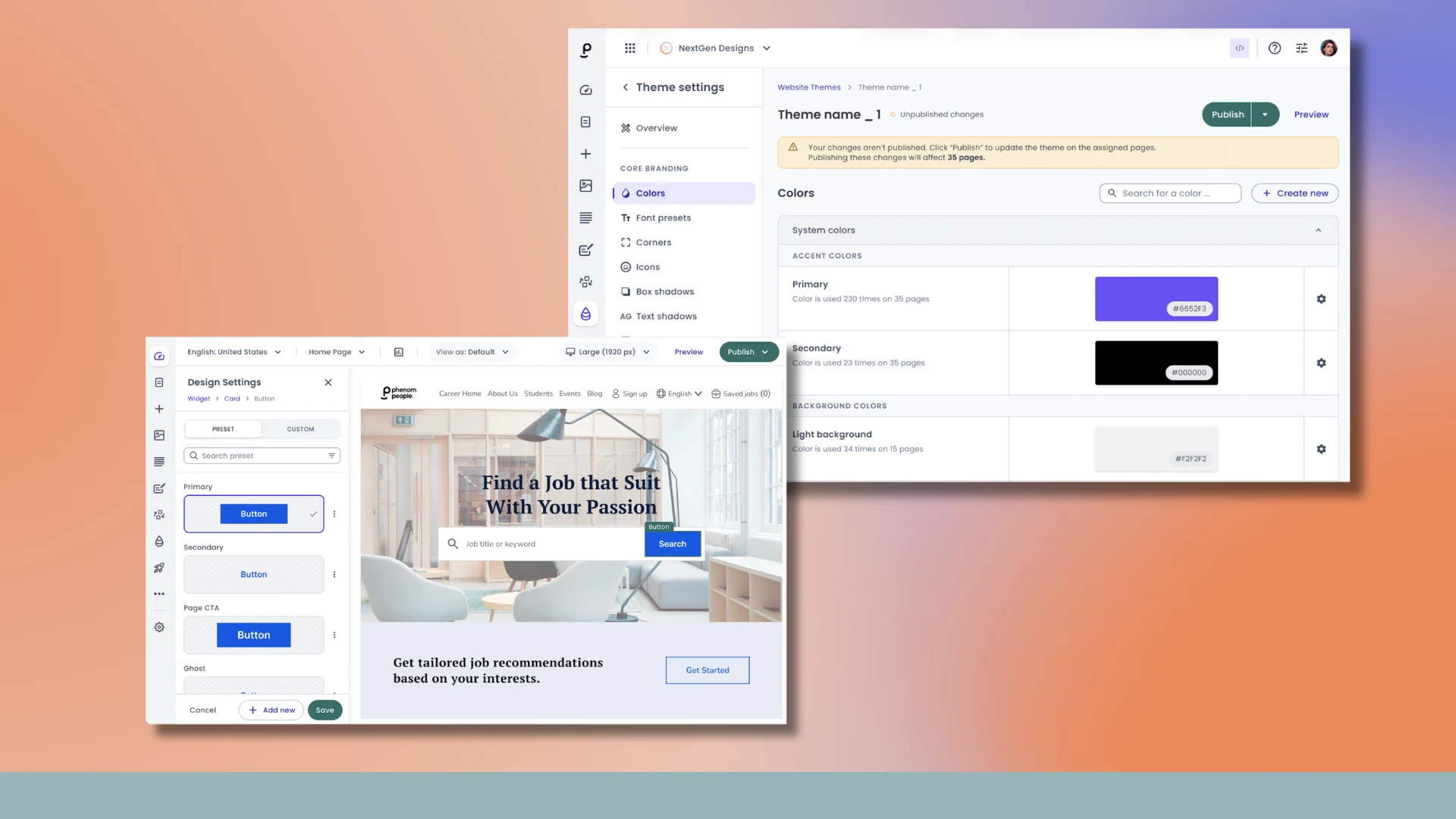
Set the foundation by applying your color palette, logo, typography, and text styles at the global level. This ensures instant consistency across every page and widget, now and in the future.
2. Shape your navigation layouts
Choose from multiple header and footer configurations to create clear, intuitive pathways throughout your site without any technical support needed. Easily edit existing navigation menus or create new ones anytime, all in a fully self-service workflow. The site is fully responsive, so it will automatically adapt to screen size changes, but Design Studio also lets you see the full mobile experience and gives you the flexibility to define different navigation and layouts for mobile if you feel your design requires that level of customization.
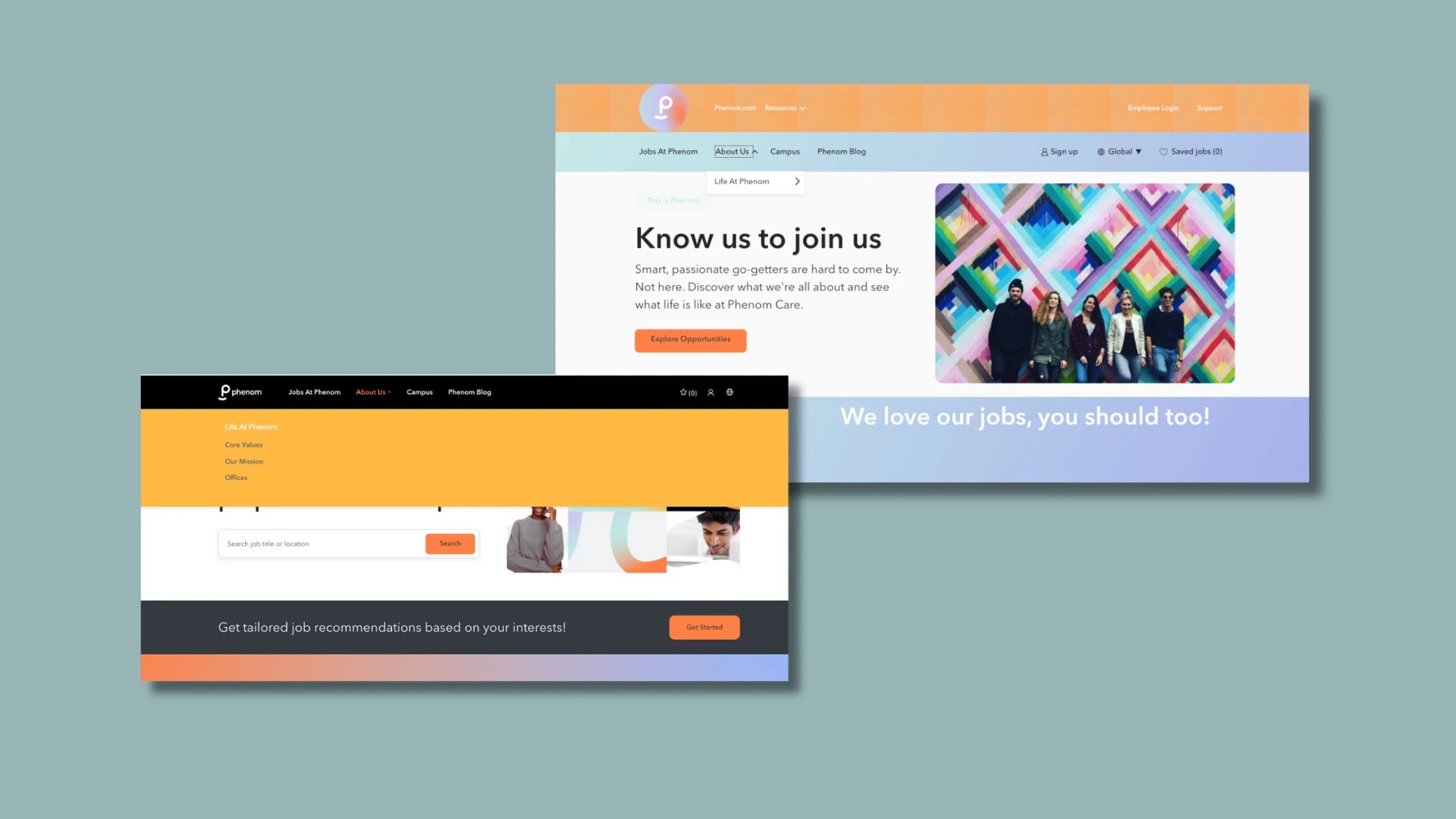
Tactical Tip: Tailor menus by audience. Distinct navigation paths help personalize the experience for key talent groups (Professional, Frontline, Early Careers).
3. Use centralized asset management
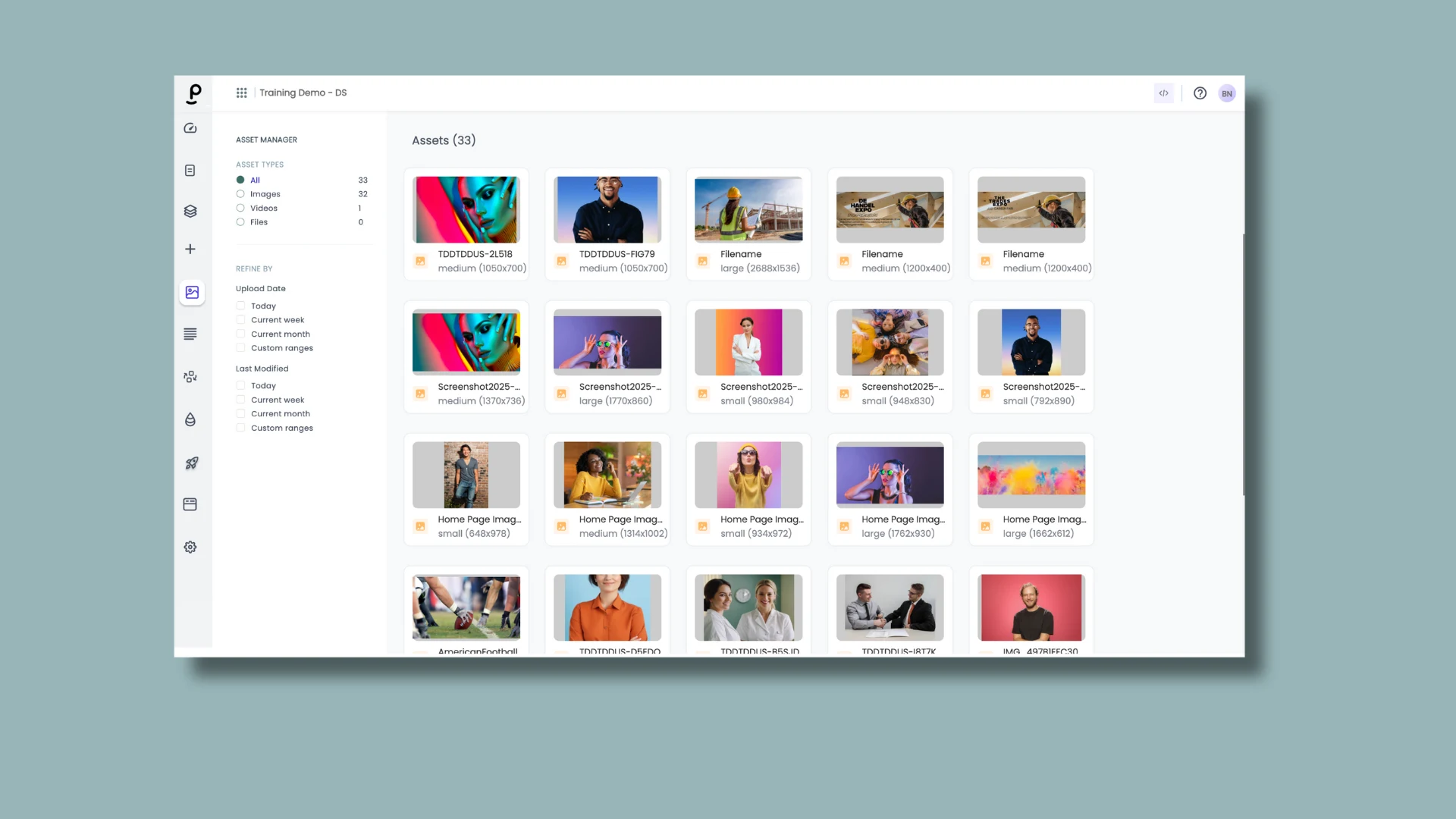
Organize and update images in one place. Central control ensures brand visuals stay consistent while reducing maintenance time.
In addition, you may elevate your careers site redesign by using the built-in Adobe Express image and video editor within your asset management space. Phenom's integration with Adobe Express makes it easy to create polished, on-brand visuals such as banners, thumbnails, videos, and more, without leaving your workspace. Adobe Express automatically stores your brand colors, fonts, and logos, so applying your visual identity to any uploaded image or video is fast and effortless. When you’re done, all assets are saved directly back into the Phenom Design Studio asset library, keeping everything organized, consistent, and ready for use across your candidate experience.
4. Scale with global widgets
For content repeated across multiple pages, like “Why Work Here” or Benefits, use the global widget functionality which allows you to update content once, and have the changes reflected across the entire career site instantly.
5. Update content faster with Phenom X+ AI assistance
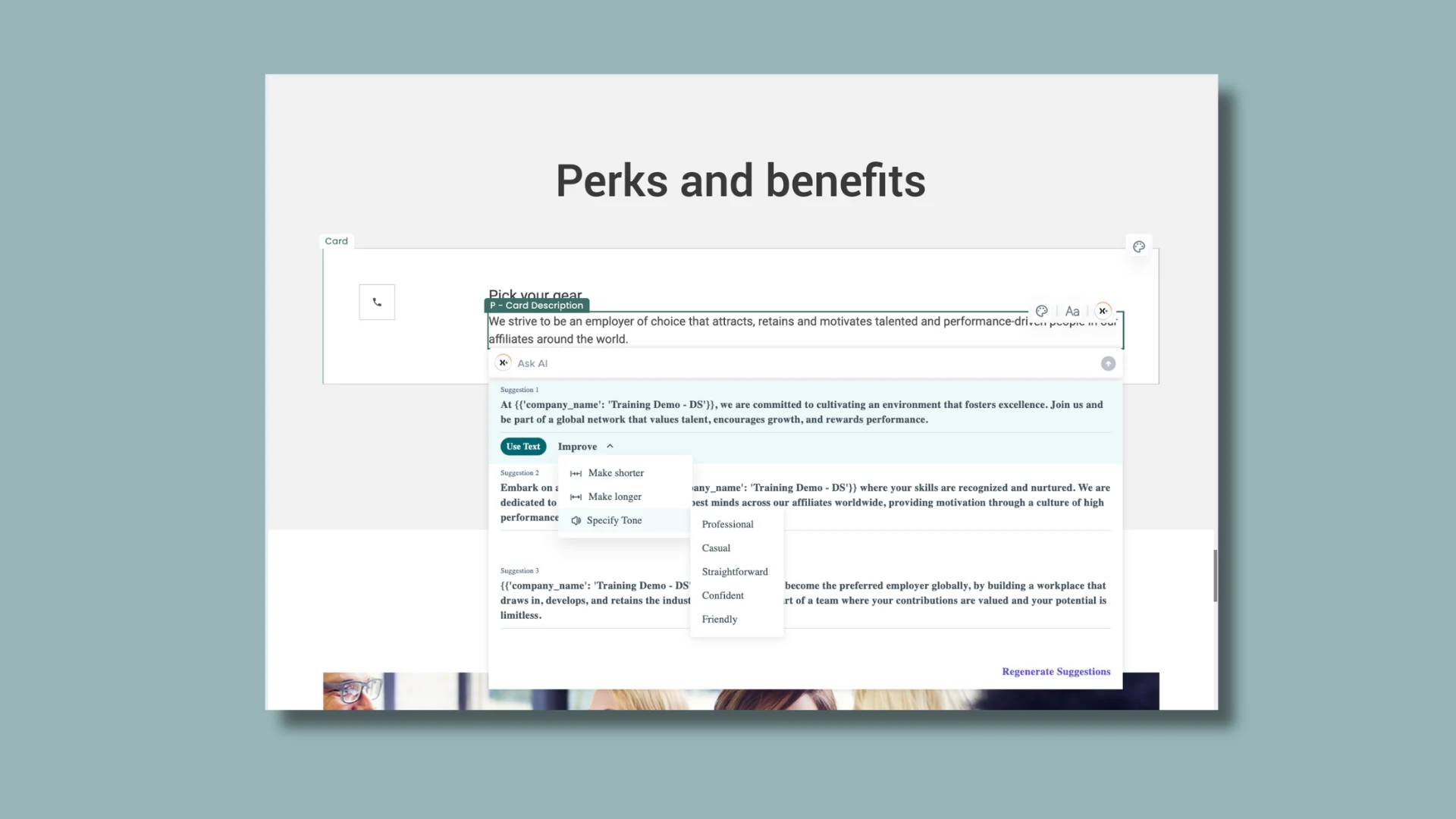
Design Studio includes Phenom X+, a generative AI tool that helps your team update page copy quickly and consistently. Whether you’re refreshing headlines, rewriting job descriptions, or creating new section content that might contain multiple pages, X+ accelerates copy updates while keeping messaging aligned with your brand voice — reducing manual effort and speeding up rebrand execution.
6. Ensure accessibility from the start
Design Studio features a native accessibility checker to help you maintain WCAG compliance while building your career site. Scan new pages as you create them to receive recommendations, reduce risk, and improve usability for all candidates.
How can I use Design Studio to improve the candidate experience?
Showcase your brand with rich, authentic media. Today’s job seekers respond to real stories, not stock photos or long paragraphs. High-quality images and employee-generated videos create emotional connections and set expectations quickly.
Tactical Tip: Leverage the Phenom Video Hub tool in Design Studio to create authentic employee video testimonials that build trust at first glance.
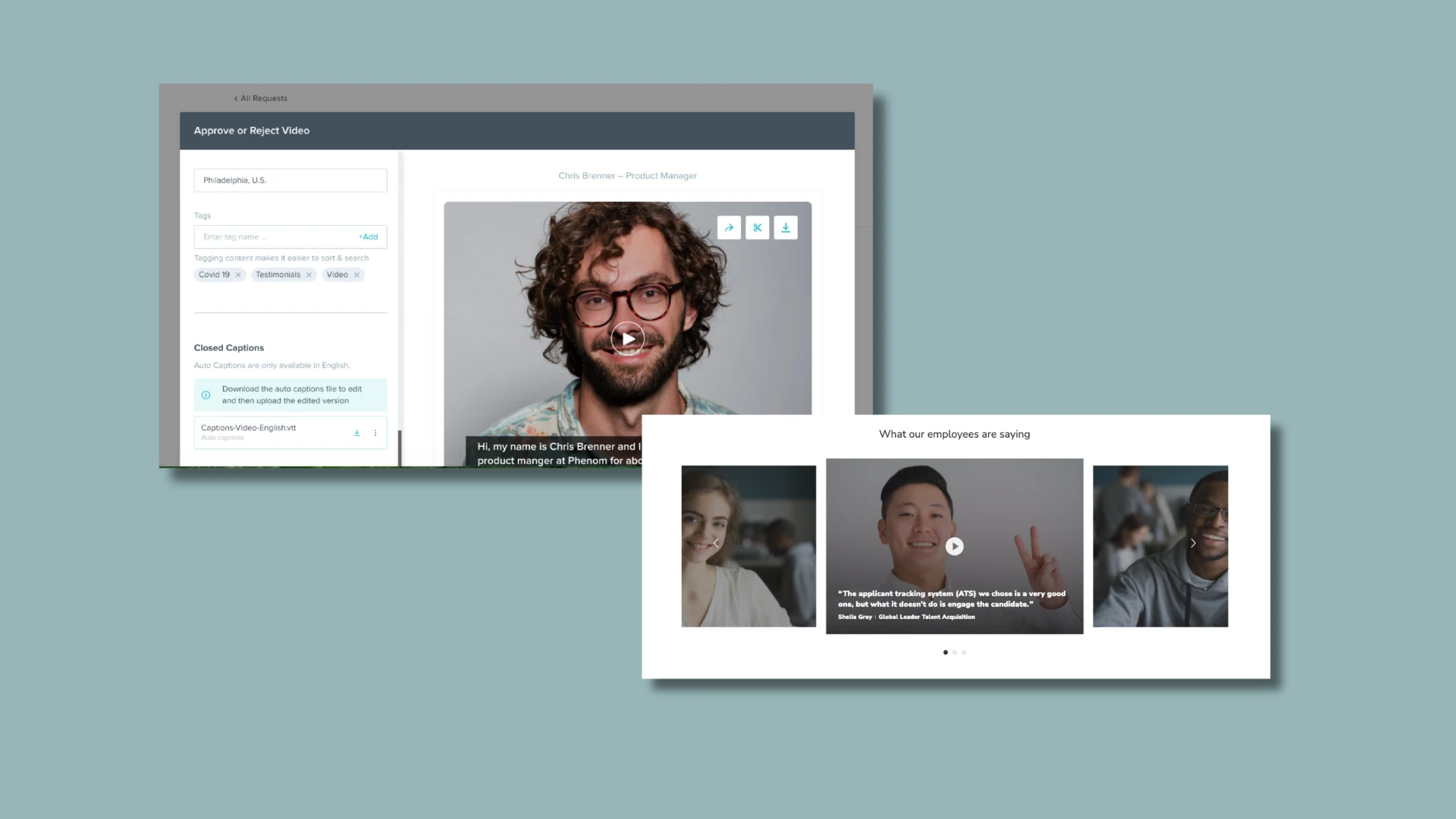
Leverage the Hero Video Widget. Position a powerful hero video at the top of your homepage to immediately highlight culture, purpose, and people.
Keep search accessible everywhere. A persistent search bar or hero search widget across your site ensures candidates can find roles instantly - no backtracking or scrolling required.
Provide clear, supportive content. Candidates want answers: What company benefits do you offer? What is your culture really like? What values drive your teams? Make this content easy to find, visually engaging, and mobile-friendly.
Promote personalized job recommendations
Place the Personalization-on-Demand (Find-Your-Fit) widget prominently, ideally under the homepage hero, to give job seekers the option to answer a few questions that will surface relevant roles and provide the secondary benefit of capturing pre-apply leads.
Best Practice: Use a standout background color and header like “Jobs Just for You” to drive engagement and feed your CRM.
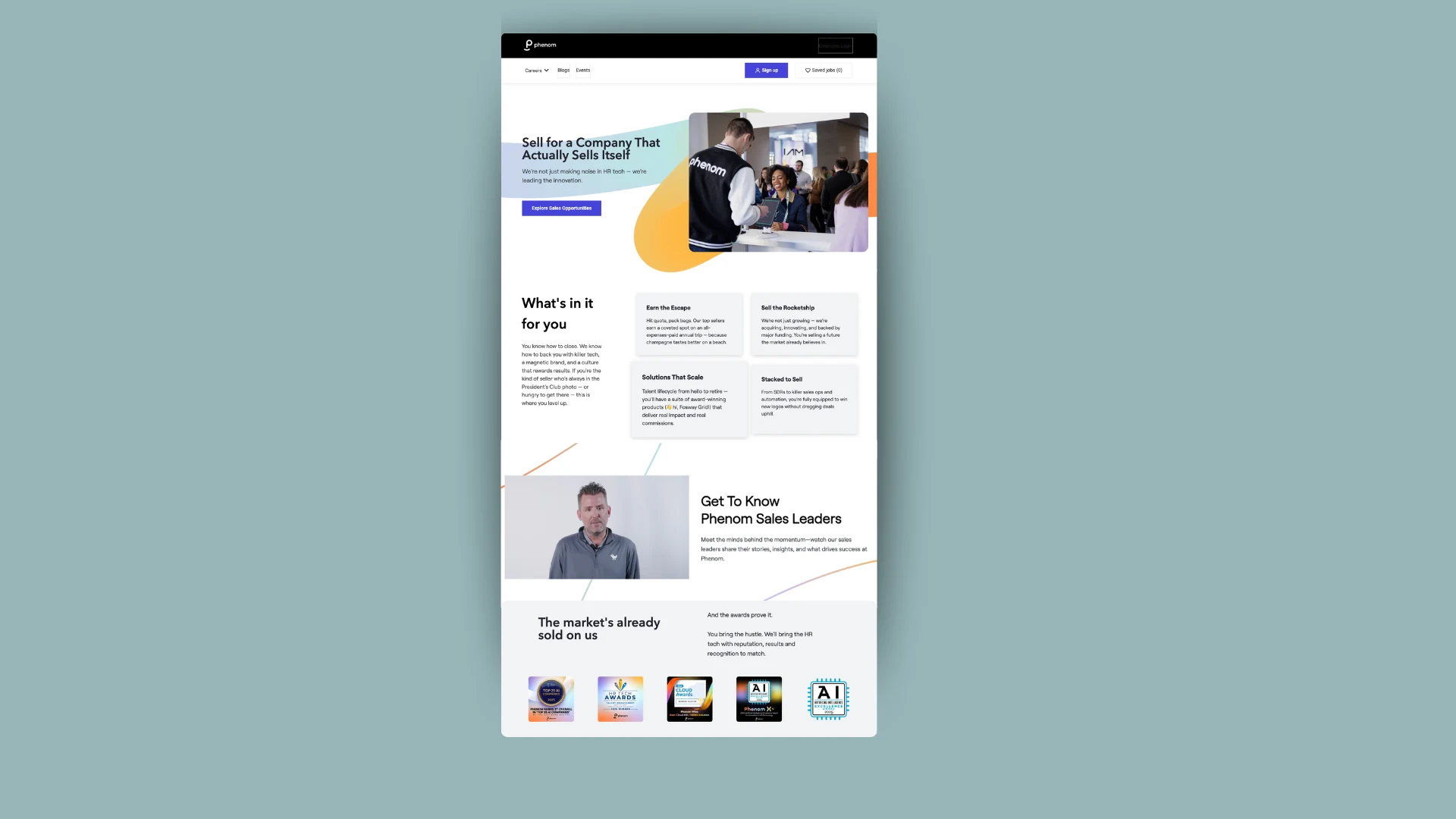
Build targeted landing pages for key talent segments
General content often misses the mark. Targeted pages for specific groups, such as high-volume roles, locations, or specialties, dramatically increase relevance and conversion.
Tactical Tip: Add a lead capture form widget to automate building segmented talent pools in your CRM.
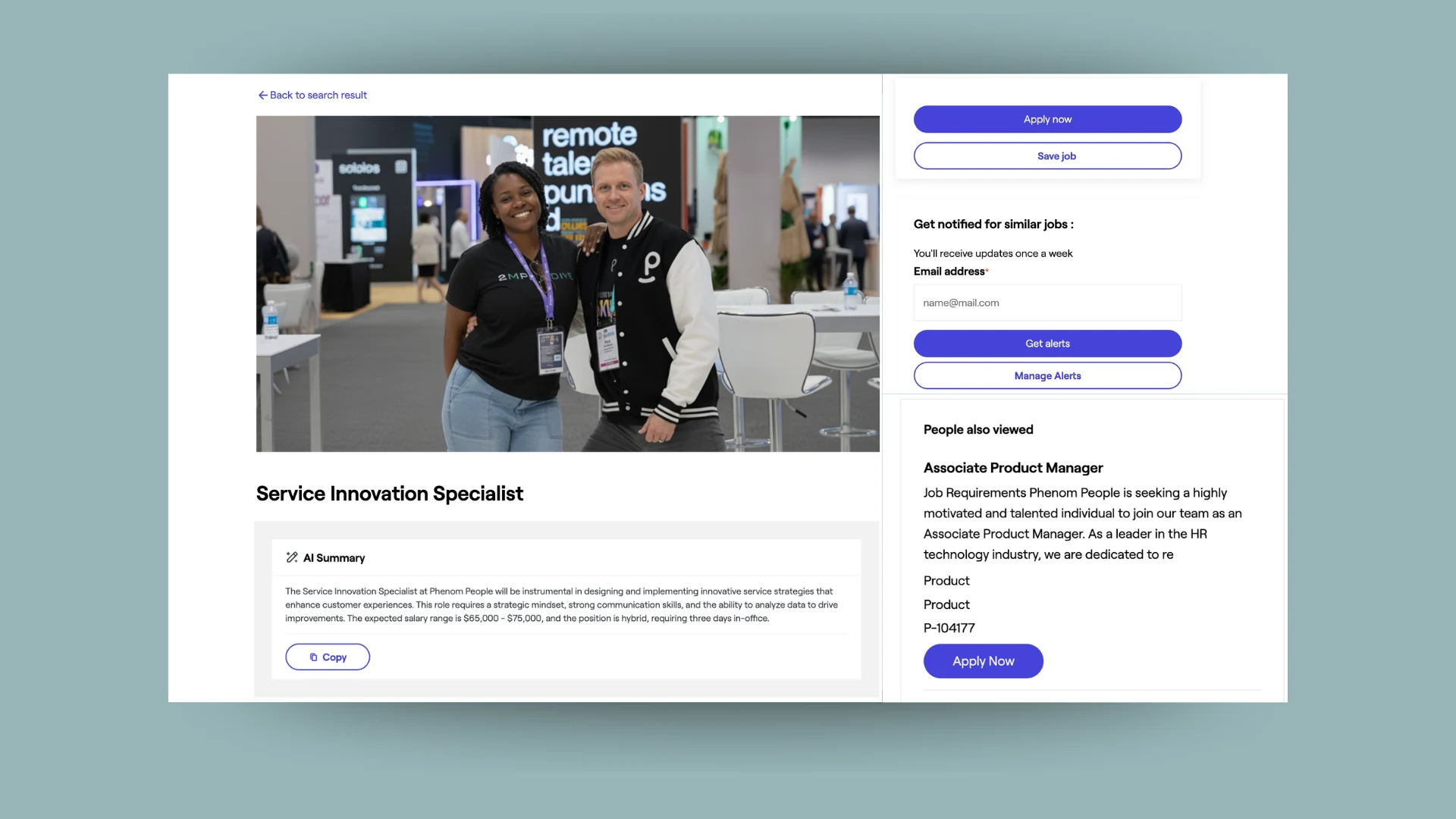
Enable AI job summary widget
Long job descriptions overwhelm candidates. AI summary distills key responsibilities and requirements into a digestible overview, improving comprehension and reducing bounce.
Use the sticky apply banner
Keeping the “Apply” button visible at all times removes friction and boosts completion rates.
A banner with imagery can also add visual interest and improve conversion.
Include final reassurance content
Help candidates feel confident before they apply. Add short, clarifying sections on your hiring process, show why people love working with you, and provide your benefits information tailored to the location. These final nudges significantly improve application starts.
Modern talent marketing requires the synergy of a compelling employer brand and a technology platform built for agility. Design Studio gives you that advantage — putting full creative control directly in your hands so you can evolve your brand, launch updates instantly, and maintain consistency across every candidate touchpoint.
The result is higher engagement, better experiences, and stronger conversion rates, exactly what you want out of a careers site redesign or rebrand.
Ready to elevate your employer brand and take control of your candidate experience?
Schedule a demo to see Phenom Design Studio in action now!

Branka’s a marketer with flair, a teacher turned Phenom player. She loves products that shine, making candidates’ paths fine and turns job hunts into a winner.


Get the latest talent experience insights delivered to your inbox.
Sign up to the Phenom email list for weekly updates!


